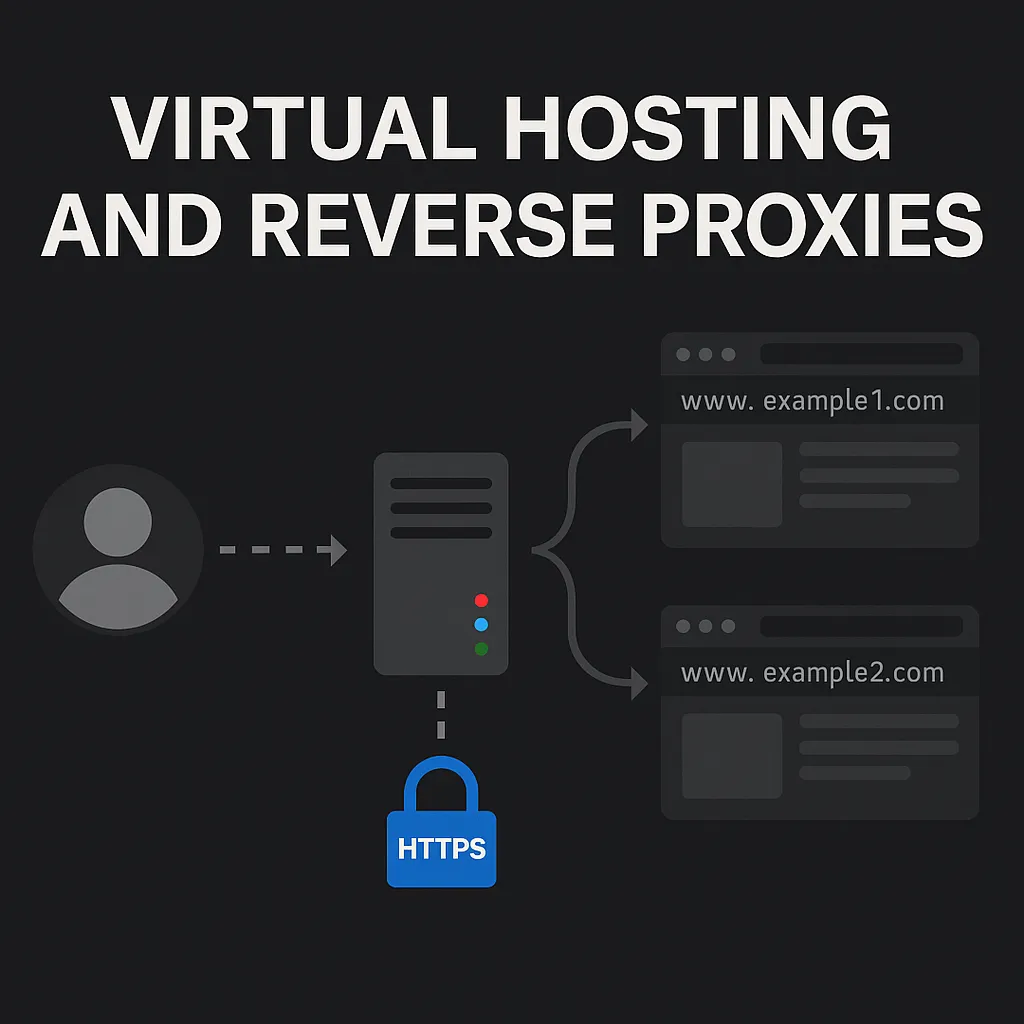
Untangling HTTPS Virtual Hosting
Posted on August 16, 2025 by Jack Mason
This blog post will hopefully help you understand the concepts of virtual hosting, reverse proxies and the general infrastructure and protocols used for user communication. This blog will explore how a web server knows which content to serve to you when you request a website over HTTPS, as well hopefully provide you with a better understanding.
This blog post arose when a colleague asked me how Burp Suite knows where to send the request to when you remove the Host header. Although I had a rough understanding of how it all worked, this made me realise that this was a weak area of my knowledge. Hopefully, the following blog post will help you understand more about this area of web apps, allowing you to become a better hacker because of it.
Web Servers
Let’s start at the very beginning, a web server hosts content that is accessed over the HTTP/HTTPS (port 80/443) protocol usually through web browsers. Web servers serve static content through the front end of the website but are also able to handle dynamic content and execute code through the backend. If you didnt know the difference between a website and a web app is that a web app has a backend and is not static.
Common software for web servers include Apache, Nginx and Microsoft IIS with the majoirty of web servers being Linux-based. Web servers are able to run both front-end and back-end services on the same host and are also able to run multiple web applications on the same host as well.
Virtual Hosting
Virtual hosting is a technique that allows multiple websites to be hosted on a single web server. It enables different sites to share the same server resources, such as CPU, RAM, and storage, while appearing to users as completely independent sites with their own domains.
There are three main types of virtual hosting, which I’ll explain below.
Name-based virtual hosting
This is the most common type of virtual hosting, where one IP address hosts several websites, each with a different domain name. For example, both www.example1.com and www.example2.com could resolve to the same IP address (x.x.x.x). In this scenario, the web server uses the Host header (or SNI for HTTPS — covered later) to decide which site to serve.
Pros:
- Most common and cost-effective method.
- Multiple domains share the same IP address — no need for extra IP allocation.
- Simple DNS setup (all point to the same IP).
- Works seamlessly with SNI for HTTPS.
Cons:
- Without SNI, HTTPS only works for one certificate per IP.
- Relies on
Hostheader — can be vulnerable to Host Header Injection if unvalidated. - Some older clients without SNI support may encounter certificate errors.
IP-based virtual hosting
In this configuration, each website has its own unique IP address but shares the same web server software. This gives many of the benefits of having a dedicated server IP without the need to own separate physical infrastructure. It is especially useful for older HTTPS setups that don’t support SNI.
Pros:
- Works with HTTPS without requiring SNI (one certificate per IP).
- Doesn’t rely on the
Hostheader for site selection — slightly simpler routing logic. - Fully compatible with legacy clients.
Cons:
- Requires multiple IP addresses — increases both cost and complexity.
- IPv4 scarcity makes this approach less practical today.
- Involves more DNS and network configuration.
Port-based virtual hosting
The simplest type of virtual hosting, where multiple websites are hosted on the same IP address but each listens on a different TCP port.
Pros:
- Very easy to configure — each site listens on its own port.
- No need for multiple IP addresses or special headers.
- Handy for internal tools, development, or staging environments.
Cons:
- Inconvenient for public sites — users must include the port in the URL (e.g.,
example.com:8080). - Can confuse or be blocked by restrictive firewalls.
- Rarely used for production customer-facing websites.
Web Proxies
Web proxies sit as an intermediary server between where you want to visit. There are several types of web proxies but I will focus on reverse and forward proxies. Proxies provide granular control over what comes through them and can help provide better performace, secuirty and monitoring.
Reverse Proxies
Reverse proxies are the most common type of proxy, positioned in front of one or more backend web servers. Their primary role is to receive client requests, route them to the appropriate backend server, and return the response to the client as if it came directly from the proxy.
By handling tasks such as load balancing, SSL/TLS termination, caching, and security filtering, a reverse proxy allows backend web servers to focus purely on generating and serving content. This setup benefits both end users (improved speed, reliability, and security) and server operators (centralised management, reduced load, and protected infrastructure).
Security:
A reverse proxy masks the IP address of the backend web server, helping to hide its location from the public. This can reduce the attack surface by making it harder for attackers to target backend servers directly.
Caching:
A reverse proxy can cache frequently requested content so that popular resources can be served without contacting the backend server, reducing latency and server load.
Filtering:
Reverse proxies can integrate a Web Application Firewall (WAF) to filter all incoming requests before they reach the backend. This can block common attacks such as SQL injection, cross-site scripting (XSS), and file inclusion vulnerabilities.
Logging/Monitoring:
Reverse proxies can log all incoming traffic, enabling analysis and detection of suspicious patterns. They can block or rate-limit IP addresses that appear malicious.
Performance:
Reverse proxies can act as load balancers, distributing incoming requests across multiple backend servers to improve scalability and resilience.
All load balancers are reverse proxies, but not all reverse proxies are load balancers.
Dangers:
While reverse proxies offer many benefits when properly configured, misconfigurations can introduce significant security risks, including:
- HTTP Request Smuggling – exploiting differences in how the proxy and backend parse HTTP requests.
- Cache Poisoning – inserting malicious content into the cache so it is served to other users.
- Host Header Injection – if the reverse proxy terminates TLS and uses the Host header for routing without proper validation.
Forward Proxies
Forward proxies can be implemented to provide more granular control over outbound web traffic. For example, a traditional firewall might allow all connections to port 443 (HTTPS) without inspecting the specific destinations. A forward proxy operates at the application layer of the TCP/IP stack, meaning it can restrict access to individual websites or domains rather than just ports or protocols.
Forward proxies can also enforce user-specific policies. For instance, a sales team member might be granted access to certain external resources that someone in the projects department does not require. This allows organisations to tailor internet access based on role, department, or security clearance. When using a forward proxy, the client’s HTTP/HTTPS traffic is sent through the proxy, which can directly inspect HTTP headers, URLs, and even content
Communication
This section will cover how a user’s request ends up at the correct website. This will go into slightly more detail than the typical “DNS to a website” explanation you hear all the time.
DNS
Starting off with DNS. DNS (Domain Name System) is how a user finds the IP address of a website, like a large phone book. A user requests the IP address of a website, for instance https://www.jackmason.com. A DNS request is sent and the DNS server returns the IP address of the website, for example 52.209.151.8.
SNI
This is where it gets interesting and something you do not usually hear about. The SNI (Server Name Indication) is not part of the HTTP request. It is sent earlier in the TLS handshake before any HTTP data is transmitted. It is a cleartext extension that tells the server which hostname you are trying to reach so that the correct certificate can be chosen for a virtually hosted site.
When a HTTPS request is sent the HTTP content itself is encrypted and cannot be read until the TLS handshake has completed. This presents an issue when a server hosts multiple sites on the same IP address. How does it know which certificate to present to the client?
This is where SNI comes in. During the TLS handshake the client includes the intended hostname in the SNI extension. The server then uses this information to select and present the appropriate certificate. The certificate is not used to decrypt the traffic directly. Instead it proves the server’s identity and helps establish a secure connection. Once the handshake is complete both client and server agree on symmetric session keys and those keys are what actually encrypt and decrypt the traffic.
This also explains how Host header injection attacks can work. Going back to the introduction of this blog when a colleague asked how Burp Suite Repeater knows where to send the request if you alter the Host header. It is because the SNI has already been sent at the TLS layer and that is what is used for routing and certificate selection.
To test this yourself, create a new tab in Burp Suite manually and select HTTP. Paste in something like:
GET / HTTP/2
Host: www.jackmason.com
When you click Send you will get the option to set the Host and a button to Override the SNI.
Host Header
The Host header is set inside the HTTP request and can be used by a virtually hosted web server to select the correct website. As this is part of the request body, it needs to be decrypted before the Host header can be read.
The Host header is not always used, and if it is, it should be compared against a strict allow list of trusted domains to make sure it cannot be injected into.